Diagrams
A flowchart maker for flows people actually follow
Decisions, steps, branches - drawn in a hand-sketched style that invites reading. Arrows stay attached when the process changes.
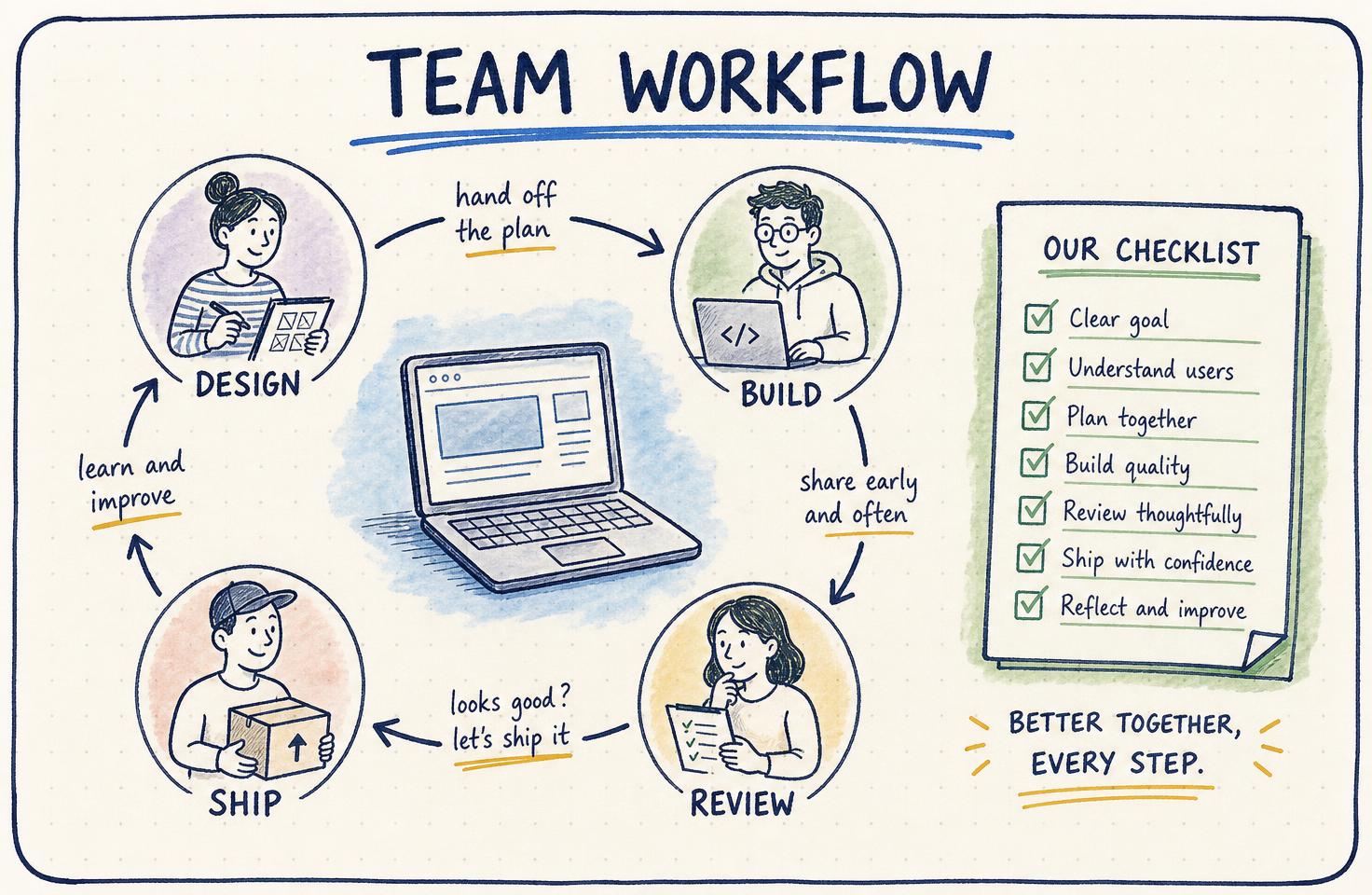
Flowcharts fail when updating them is painful. This flowchart maker makes change cheap: every node is a draggable object, every connector a sticky arrow that follows, every branch labelable with text on a wash.
The hand-drawn style is deliberate - it reads as a working document, so teams annotate and improve it instead of treating it as carved in stone. Export to PDF, SVG, PNG or PPTX when it's time to publish.
Why Sketchboard AI as your flowchart maker
Connectors that follow
Sticky arrows anchor to steps and reroute as the flow changes - no manual rewiring.
Steps your way
Use shapes, sketches or text boxes for nodes; corner styles include rounded, cut and notched.
Clean layout
Snapping plus amber center guides keep branches aligned without fuss.
Publish anywhere
PDF for SOPs, SVG for the web, PNG for wikis, PPTX for training boards.
How it works
- 1
Lay out the happy path
Place steps top-to-bottom; snapping keeps the spine straight.
- 2
Add decisions
Branch with sticky arrows and label each path.
- 3
Publish the flow
Wash the swimlanes if you need them, then export.
FAQ
Can I make swimlane flowcharts?
Yes - use translucent washes as lanes behind the flow, with opacity tuned so nodes stay readable.
What if my flow is huge?
Split it across slides in one board - overview on one slide, detail flows on the next.
Can I restyle a whole flow at once?
Elements share style controls for stroke, fill and opacity, so updating a selection updates the look consistently.
Keep exploring
Sketch your next board in minutes
Free to start. No design skills, no stock photos, no fiddling with vector tools.
Start a board free