Sketching
An AI sketchboard that draws what you describe
Type what you need - 'karaoke night', 'system architecture', 'guard dog' - and the AI sketchboard generates a transparent, hand-drawn asset that drops straight onto your canvas.
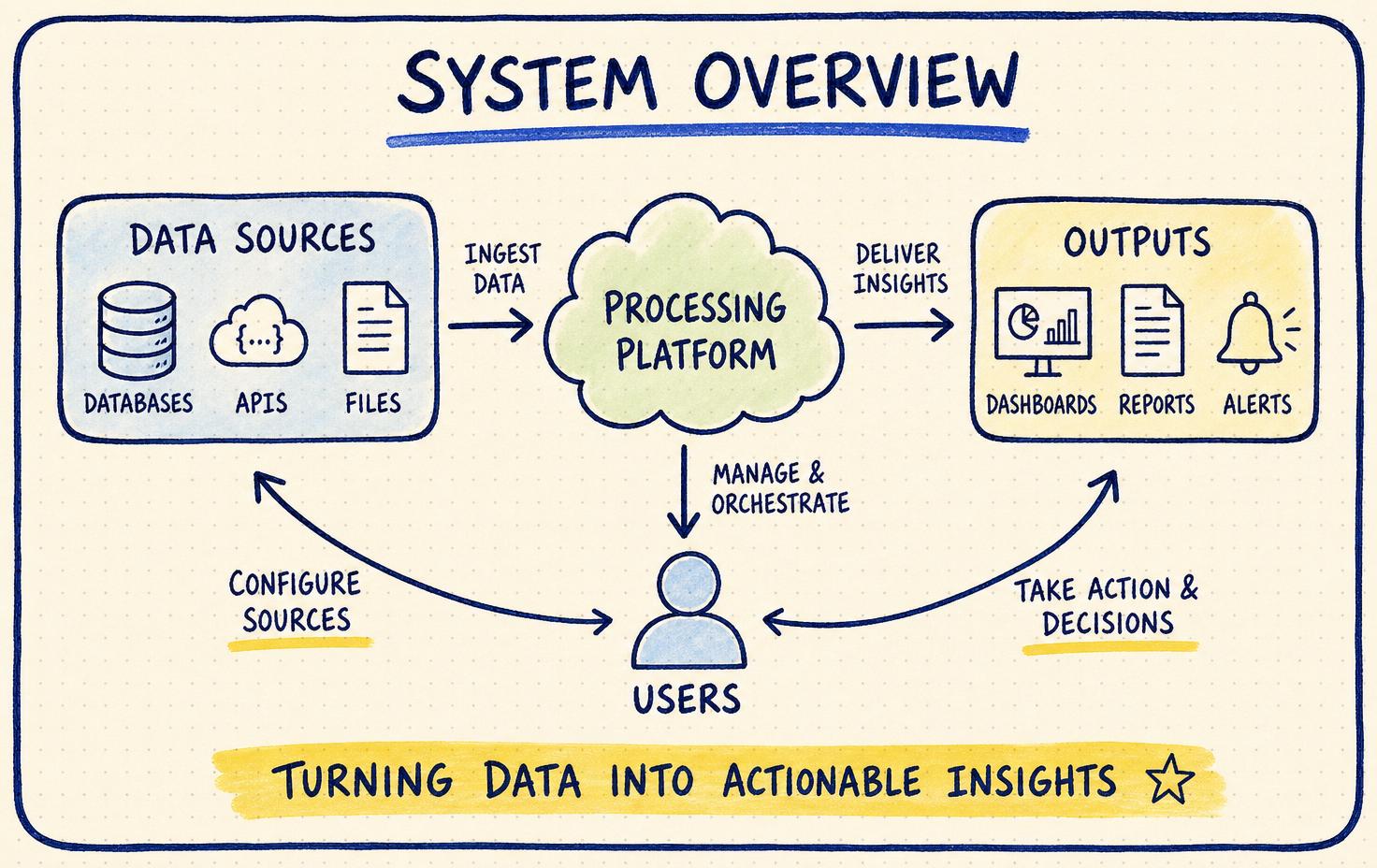
Most AI image tools hand you a finished picture you can't edit. The Sketchboard AI sketchboard generates individual sketch elements - no background, consistent ink style - so they behave like every other object on your canvas: movable, restylable, connectable.
AI generation sits beside 5,000+ illustrations, symbols, stickers, line icons and vector shapes, plus full-colour Drawings that ships with the app, so you mix generated and ready-made sketches freely, then export to PNG, JPG, SVG, PDF, PPTX, ZIP, animated GIF, JSON and a shareable web slideshow.
Why Sketchboard AI as your AI sketchboard
Prompt-to-sketch
Describe the object, pick illustration, symbol or image style, and generate transparent assets in seconds.
No background, ever
AI sketches are generated without background color, so they sit cleanly on any slide color or wash.
Grows your library
Admins can batch-generate numbered sets of new sketches; everything generated joins your searchable library.
One consistent hand
Generated assets match the same ink-and-wash style as the built-in library - boards never look collaged.
How it works
- 1
Describe it
Open the library's AI generate mode, type a prompt and choose illustration, symbol or image.
- 2
Review it first
Preview every result, redo it, add a caption or surgically edit one area; it only joins your library after you approve it.
- 3
Connect and export
Wire it to other elements with sticky arrows, add a wash, and export your board in any format.
FAQ
What can the AI sketchboard generate?
Three types: illustrations and symbols in the hand-drawn ink style (always transparent), and AI images which live in their own Images tab.
Can I edit AI-generated sketches?
Yes - move, scale, rotate, flip, recolor strokes, add washes and layer them like any built-in sketch.
How many sketches can I generate?
You define the number. Generate one asset or a numbered batch; generated items are saved to your library for reuse.
Keep exploring
Sketch your next board in minutes
Free to start. No design skills, no stock photos, no fiddling with vector tools.
Start a board free