Diagrams
Architecture sketches that survive the design review
Sketch your system the way you'd draw it on a whiteboard - then keep it editable, layered and exportable as the architecture evolves.
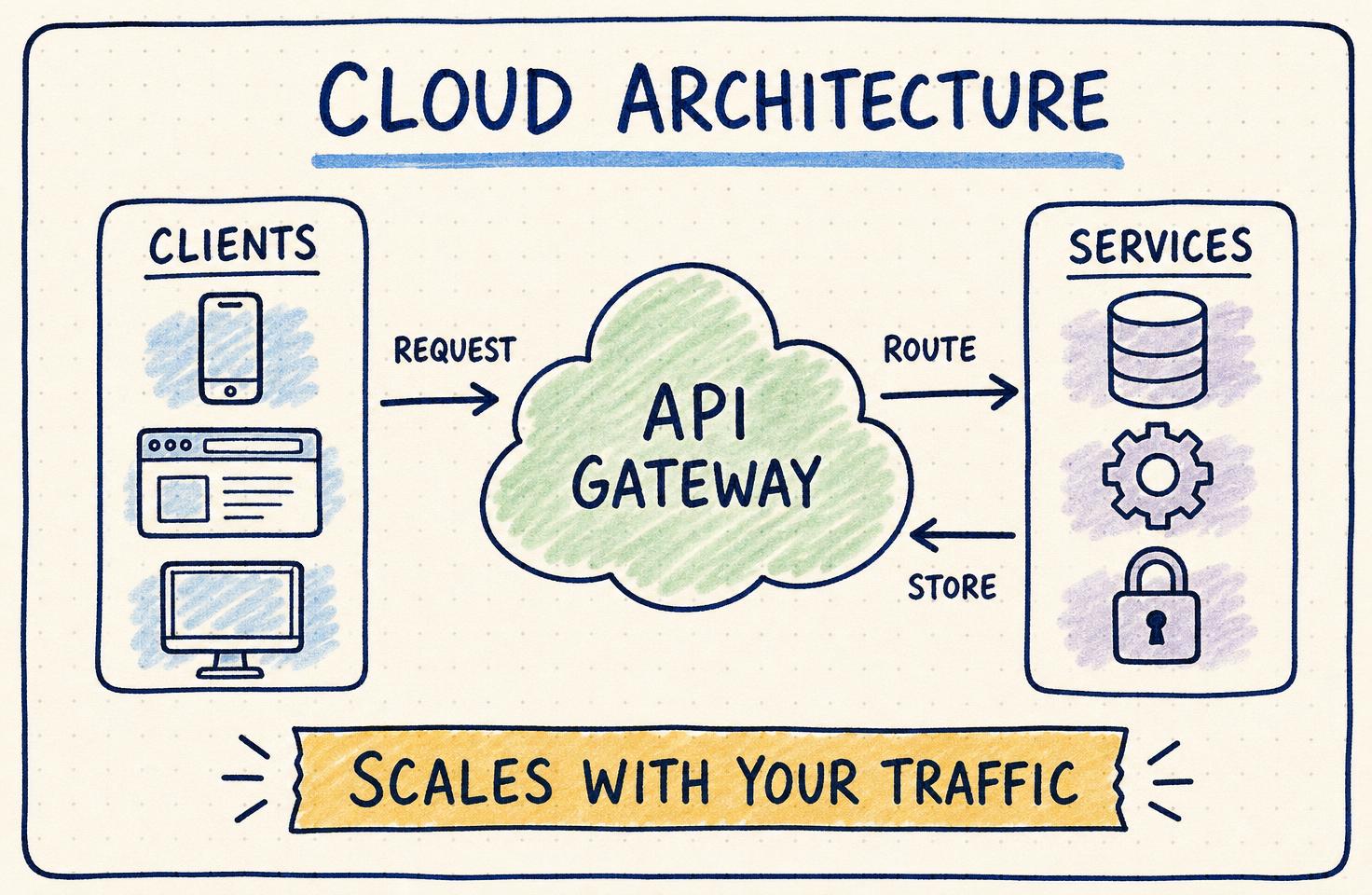
The best architecture diagrams start as sketches. This architecture sketch tool keeps that clarity: hand-drawn components for services, databases, queues and clients, sticky arrows for data flow, and washes to mark trust boundaries and environments.
Unlike the whiteboard, this sketch lives: drag a service and its connections follow, layer detail views on separate slides, and export SVG for the docs or PPTX for the review.
Why Sketchboard AI as your architecture sketch
Real components
Servers, databases, queues, clients and more in the library - generate custom ones with AI.
Data-flow arrows
Sticky arrows reroute as services move; label flows with text on washes.
Boundaries as washes
Mark VPCs, environments and trust zones with translucent shape-fitted washes.
Docs-ready
SVG for documentation sites, PDF for design docs, PNG for the wiki.
How it works
- 1
Place the big pieces
Clients, services, data stores - from library or AI generation.
- 2
Draw the flows
Sticky arrows for requests and events; amber guides keep the layout clean.
- 3
Mark the boundaries
Wash the environments, then export for docs and reviews.
FAQ
Why hand-drawn architecture diagrams?
The sketch style signals 'this is the current thinking' - teams engage with it instead of litigating pixels, and non-engineers actually read it.
Can I do C4-style multi-level diagrams?
Yes - use one slide per zoom level in the same board, reusing components across slides.
Does it export to docs tools?
SVG and PNG drop straight into Notion, Confluence, GitHub READMEs and any docs site.
Keep exploring
Sketch your next board in minutes
Free to start. No design skills, no stock photos, no fiddling with vector tools.
Start a board free