Diagrams
An AI diagram maker that doesn't look like a flowchart factory
Generate the pieces with AI, wire the diagram with sticky arrows, and ship a hand-drawn diagram that people actually study - as SVG, PDF, PPTX or PNG.
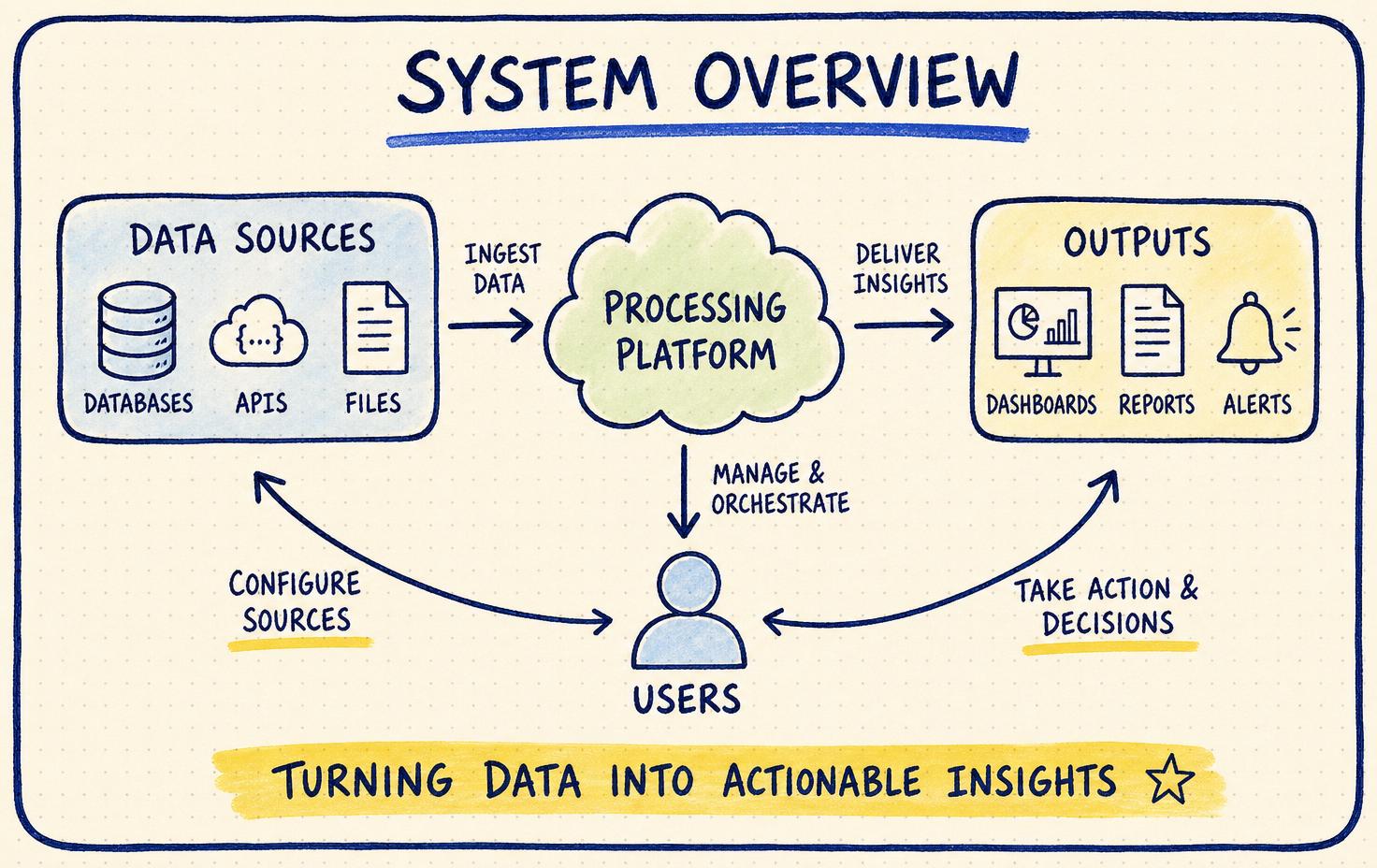
Diagram tools make everything look the same. This AI diagram maker inverts that: generate any node as a hand-drawn sketch - servers, people, processes, products - and connect them with arrows that stay attached as the architecture evolves.
The diagram stays alive: sticky arrows reroute when you drag, layers keep overlaps honest, and exports cover documentation (PDF, SVG), boards (PPTX) and wikis (PNG).
Why Sketchboard AI as your AI diagram maker
Generate any node
Prompt-to-sketch for the exact components your diagram needs - transparent and on-style.
Living connectors
Sticky arrows anchor to nodes and reroute as you rearrange; bend them at via-points for clean paths.
Precise alignment
Edge snapping plus amber center guides keep complex diagrams tidy.
Doc-grade export
SVG for the web, PDF for docs, PPTX for reviews, PNG for wikis.
How it works
- 1
Gather the nodes
Pull from the 3,000+ library or generate custom components with AI.
- 2
Wire the diagram
Connect with sticky arrows; label the relationships.
- 3
Publish it
Export or present - the diagram fits docs, boards and wikis.
FAQ
What diagram types can I make?
Architecture, flowcharts, mind maps, system diagrams, wireframes, org charts, process maps - freeform layout covers them all.
Can arrows attach to specific points?
Yes - arrows stick to the objects they touch and can bend at via-points; stickiness is optional per arrow.
Does it export vector?
Yes - SVG export keeps diagrams crisp at any size.
Keep exploring
Sketch your next board in minutes
Free to start. No design skills, no stock photos, no fiddling with vector tools.
Start a board free