Creative & sketching · Comparison
Sketchboard AI vs Procreate
Procreate is a powerful digital art studio. Sketchboard AI is an AI-powered visual sketchboard designed to help you turn ideas into sketches, concepts and visual creations faster.
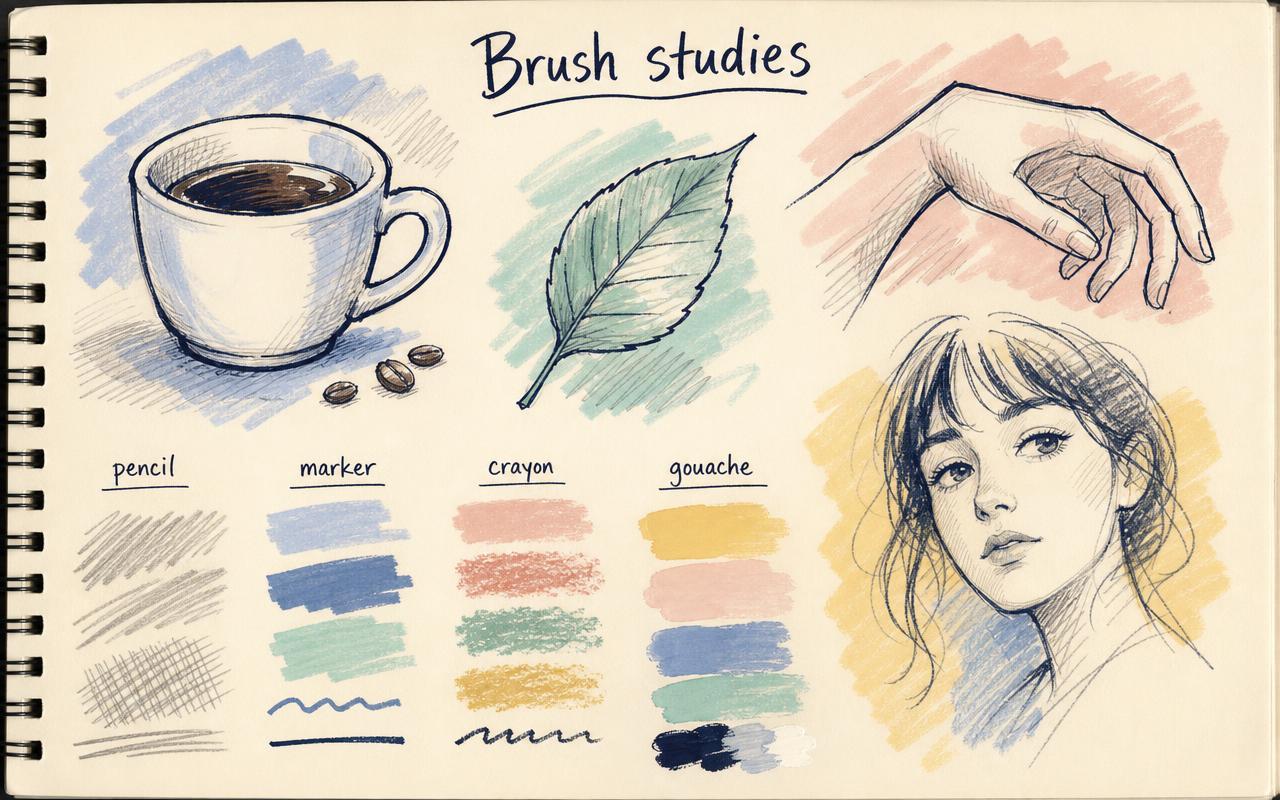
How Sketchboard AI and Procreate differ
Procreate's strength is artistic control: an extensive brush system, raster layers, painting tools and deep Apple Pencil integration. If your goal is illustration or painting at a professional level, Procreate is the right tool and we won't pretend otherwise.
Sketchboard AI takes a different approach. Instead of starting with brushes and building everything manually, you start with an idea and let AI help turn it into a visual sketch. Describe an object and you get a transparent, hand-drawn asset that drops straight onto the canvas as an editable element — movable, restylable, connectable with arrows and reusable across slides.
The other structural difference is where it runs. Procreate is built around the iPad and Apple Pencil. Sketchboard AI runs in the browser on Mac, Windows, Linux, Chromebook, iPad and phones, with touch-sized handles and pressure feel derived from stroke speed. Sketch anywhere — no iPad required.
Sketchboard AI vs Procreate: feature by feature
full support · partial · not supported
| Capability | Sketchboard AI | Procreate |
|---|---|---|
| AI-assisted creationGenerate transparent hand-drawn assets from a text prompt or reference image. | Yes | No |
| Freeform sketching25 brush families with pressure-aware ink, smudge and precision eraser. | Yes | Yes |
| Visual brainstorming | Yes | No |
| Diagrams with sticky arrowsArrows pin to the visible edge of any element and follow it as it moves. | Yes | No |
| Mind maps | Yes | No |
| Templates & community gallery | Yes | No |
| Built-in illustration library5,000+ illustrations, symbols, stickers, line icons and vector shapes, plus full-colour Drawings. | Yes | No |
| Professional digital paintingWe are a sketchboard, not a painting studio — no blending modes or canvas-resolution painting. | No | Yes |
| Custom / importable brush engine | No | Yes |
| LayersElement layers with reorder, lock, hide and group — not raster paint layers. | Partial | Yes |
| Presentation modeSlide-by-slide presenting with laser pointer and spotlight. | Yes | No |
| Visual planning across slides | Yes | No |
| Runs in any browserMac, Windows, Linux, Chromebook, iPad and phones — nothing to install. | Yes | No |
| Export to PNG, SVG, PDF, PPTX, GIF | Yes | Partial |
| Automatic version historySnapshots with full-screen preview before you restore. | Yes | Partial |
| Share & collaborate on a board | Yes | No |
| Full offline desktop/iPad app | No | Yes |
Procreate is a mature product and this table only compares the capabilities that matter when choosing between the two. We list what Sketchboard AI actually ships — nothing more.
What Procreate does better
- Hundreds of brushes plus a full custom brush engine and imported brush packs.
- Raster painting with blend modes, masks, and high-resolution canvases.
- Deep Apple Pencil pressure, tilt and palm-rejection support.
- Frame-by-frame animation and a time-lapse recording of every artwork.
Where Sketchboard AI wins
- AI generation of transparent, style-consistent sketch assets from a prompt or reference image.
- A ready library of thousands of hand-drawn illustrations, symbols, stickers, drawings and line icons.
- Sticky arrows, text washes, shapes and multi-slide decks for explaining ideas, not just drawing them.
- Present live, or export PNG, JPG, SVG, PDF, PPTX, ZIP, animated GIF and a web slideshow.
- Runs in any browser on any device, with automatic version history you can preview before restoring.
Which one should you use?
Choose Procreate if…
- You are illustrating or painting finished artwork.
- You need custom brushes, blend modes and raster masking.
- You work on an iPad with an Apple Pencil and want offline, native performance.
Choose Sketchboard AI if…
- You are sketching ideas, concepts, diagrams or plans rather than painting.
- You want AI to produce the drawing you can't (or don't have time to) draw.
- You are on Windows, Mac, Linux or Chromebook and don't own an iPad.
- The sketch has to become a slide, a deck, a diagram or an export other people use.
Looking for a Procreate alternative for…
- Procreate alternatives
- Procreate alternative for Mac
- Procreate alternative for Windows
- Procreate alternative online
- Procreate alternative with AI
- Procreate alternative for sketching
- Procreate alternative for brainstorming
- Procreate alternative for visual thinking
- Procreate alternative without iPad
FAQ
Is Sketchboard AI a replacement for Procreate?
Not for painting. Procreate is a mature digital-art application with a custom brush engine and raster layers, and we don't try to match that. Sketchboard AI replaces Procreate for the sketching-to-explain workflow: ideas, concepts, diagrams, storyboards and visual planning.
Can I use Sketchboard AI without an iPad?
Yes. It runs in any modern browser on Mac, Windows, Linux, Chromebook, iPad and phones. There is nothing to install and no Apple hardware requirement.
Does it support pressure like an Apple Pencil?
Sketchboard AI varies ink weight and tone from stroke speed, so strokes taper and darken naturally with mouse, trackpad, finger or stylus. It is not a substitute for Procreate's full pressure and tilt pipeline.
Does Sketchboard AI have layers?
It has element layers — every object can be reordered, grouped, locked, hidden and flipped, with a live layers list. These are object layers, not raster paint layers.
Can I import my Procreate brushes?
No. Sketchboard AI ships 25 brush families tuned for the hand-drawn ink style; custom brush import isn't supported.
More comparisons
Try the Procreate alternative built for ideas
Free to start, in any browser. Sketch, draw, brainstorm, design, diagram, create.
Start a board free