Hand-Drawn Visuals for Better Presentation Engagement
Discover the psychological power of hand-drawn diagrams and how they prevent slide fatigue in your professional presentations.
· 6 min read
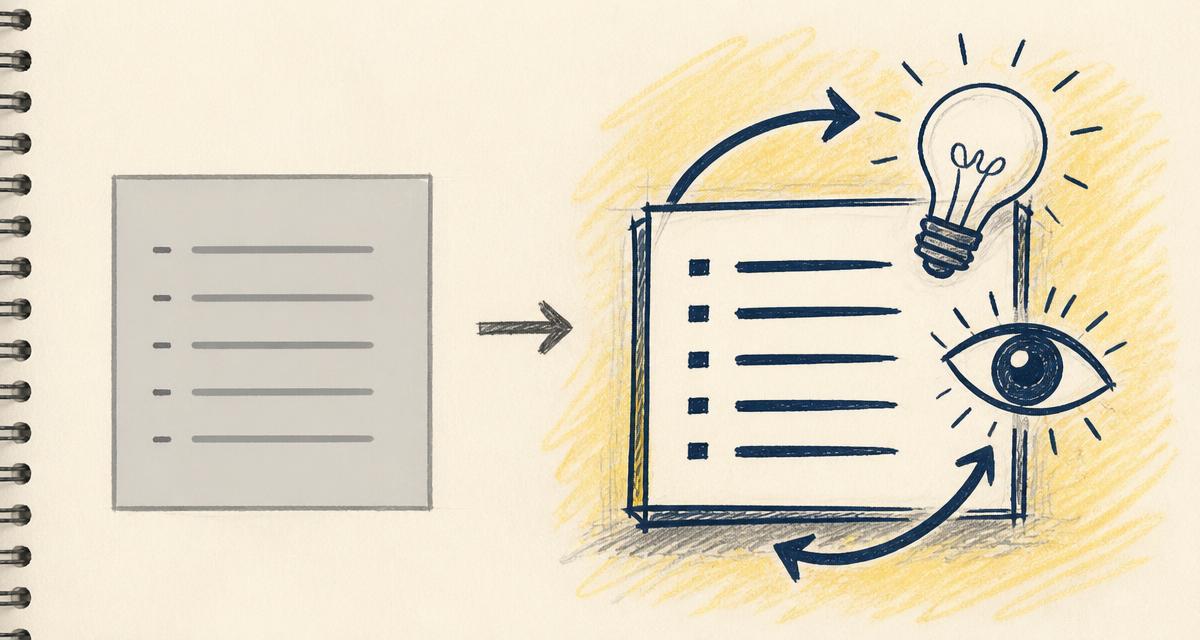
Modern audiences are tired of the same corporate templates and sterile stock imagery. When every slide looks identical, the brain tends to switch off, leading to the dreaded glazed-eye stare during meetings. Switching to hand-drawn visuals can disrupt this pattern and help your message stick.
The Psychology of the Personal Touch
There is a reason why we feel more connected to a quick sketch on a whiteboard than a complex, high-definition graphic. Hand-drawn elements signal that a human being is behind the information. It feels informal, approachable, and real. In a world increasingly dominated by polished digital perfection, the slight wobbliness of a hand-drawn line provides a welcome sense of authenticity.
When you use a tool like Sketchboard AI, you are not just making a slide. You are inviting your audience into a conversation. The organic nature of marker-style illustrations makes the content feel less like a lecture and more like a shared discovery. This shift in tone can significantly lower the barriers to communication, making it easier for people to ask questions and engage with your ideas.
Breaking the Pattern of Slide Fatigue
Slide fatigue happens when every presentation follows the same predictable layout. We have all seen the standard bullet points and the generic symbols of people shaking hands. Because these visuals are so common, our brains categorise them as background noise.
Hand-drawn visuals break this pattern. Because the shapes are unique and the lines have character, the eye has to work a little harder to process them. This extra moment of processing is exactly what you want. It means the audience is actually looking at your work, rather than just waiting for the next slide to click past.
Why Organic Lines Work
- Novelty: Hand-drawn styles are less common in corporate settings, making them stand out.
- Simplicity: A sketch forces you to focus on the core concept rather than unnecessary decorative detail.
- Recall: People often remember a unique doodle more vividly than a standard chart.
Building Better Diagrams with Sketchboard AI
Creating this look does not require you to be an artist. Sketchboard AI provides a library of over 1,000 hand-drawn marker illustrations and a separate tab with 1,000 hand-drawn symbols. These are organised by category, so you can quickly find what you need to build a logical flow.
One of the most useful features for keeping things tidy is the snapping arrows. While the lines look like they were drawn by hand, they behave with digital precision. You can use elbow routing to keep paths clear, and arrow-to-arrow anchors ensure that your connections stay intact even if you move shapes around. If you cannot find the exact symbol you need, the AI generation tool can create new illustrations in that same marker style, maintaining a consistent look across your entire deck.
Comparing Visual Styles
To understand why the hand-drawn approach works, it helps to compare it to traditional presentation methods.
| Feature | Standard Stock Slides | Hand-Drawn Visuals |
|---|---|---|
| Tone | Formal, rigid, distant | Warm, playful, approachable |
| Memorability | Low (standardised) | High (unique and organic) |
| Engagement | Passive | Active |
| Flexibility | Fixed by templates | Completely customisable |
| Human Element | Missing | Central to the design |
Common Mistakes in Visual Presentations
- Overcrowding: Trying to fit too many ideas onto one slide. A hand-drawn style works best when there is plenty of white space.
- Inconsistent Styles: Mixing realistic photos with hand-drawn symbols can look messy. Stick to one visual language.
- Lack of Hierarchy: Forgetting to use size and weight to show what is most important. Use grouping and alignment tools to guide the eye.
- Ignoring Contrast: Using colours that are too similar. Use a dedicated Washes picker to add translucent marker patches that highlight key areas without obscuring text.
The Power of Real-Time Collaboration
Visuals are not just for the final presentation. They are also for the thinking process. Because Sketchboard AI supports real-time team collaboration, you can build these hand-drawn decks together. Seeing a colleague add a scribble or a note in real-time makes the planning phase feel more like a workshop than a chore.
When you are ready to show your work, you can use the present mode with autoplay. This allows you to walk your audience through the logic of your diagram one step at a time. If you need to share the file, you can export it to various formats including PNG, SVG, PDF, or even a PPTX file for traditional software. For those who want to show the process, the GIF export is a brilliant way to demonstrate how an idea evolved.
FAQ
Is a hand-drawn style professional enough for a boardroom?
Yes. Professionalism is about clarity and impact. If a hand-drawn diagram explains a complex strategy better than a spreadsheet, it is the more professional choice. It shows you have put thought into how you communicate.
Do I need a drawing tablet to use Sketchboard AI?
Not at all. The platform provides a vast library of pre-made illustrations and shapes. You can also use a standard mouse to arrange elements, add text with rounded corners, and snap arrows into place. The AI does the heavy lifting of the artistic work.
How many slides can I make for free?
The free plan allows you to create 3 decks, with 3 slides per deck. This includes access to 100 illustrations and 100 symbols, which is plenty to get a feel for the hand-drawn style before upgrading to a Pro or Team plan.
Try it on your next deck
Ready to move away from boring stock slides? Start a free deck on Sketchboard AI today and see how much easier it is to hold your audience's attention. With a few simple marker-style illustrations, you can turn a standard meeting into a memorable visual experience.
- presentation design
- visual communication
- hand-drawn style
- presentation tips
- sketchboard ai