Digital Brushwork: Mastering Visual Rhythm and Repetition
Discover how to use repeating brush strokes, varying pressure, and smart velocity response to build flow and energy in your digital sketchbook.
· 6 min read
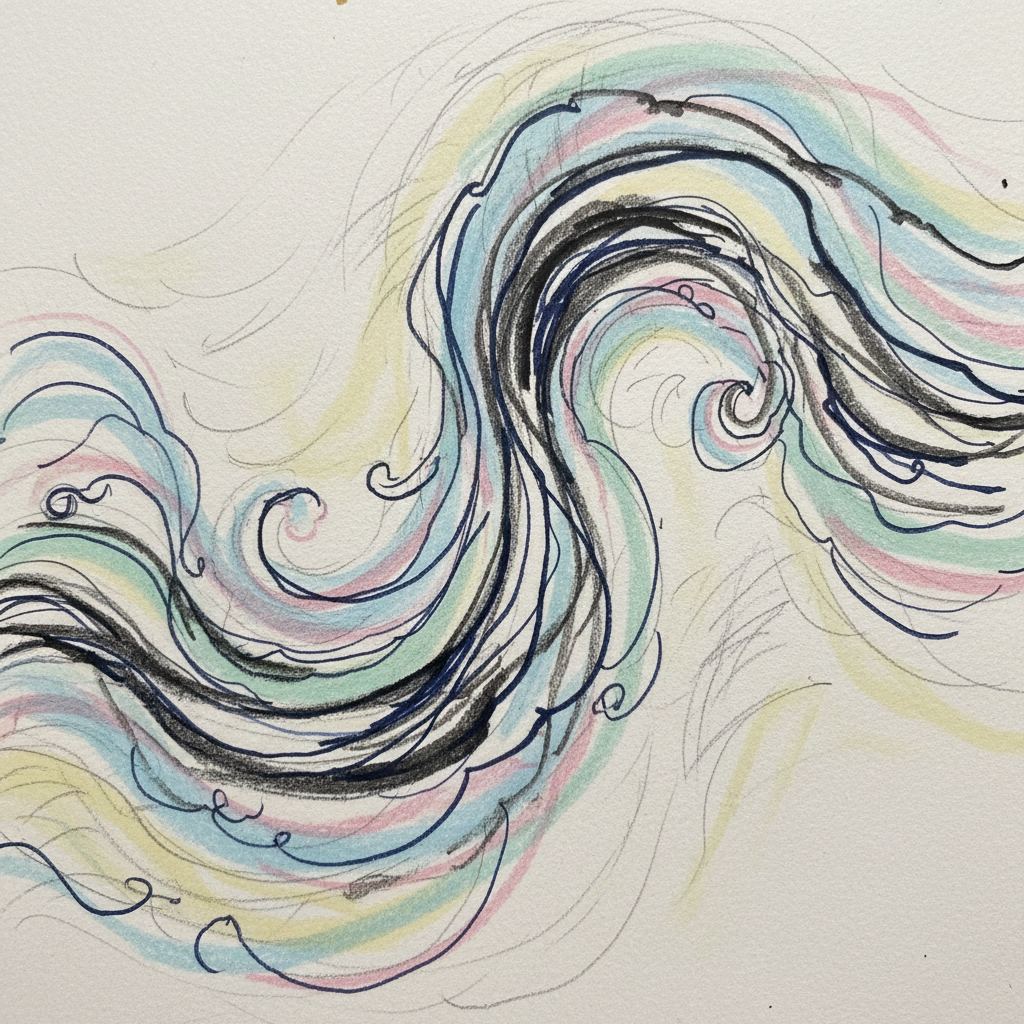
Even a detailed drawing can feel stagnant if the strokes do not lead the eye. Without a sense of movement, your sketches might appear flat or disjointed despite your technical accuracy. Mastering visual rhythm allows you to breathe life into your work by creating a melodic flow of marks that guides the viewer through the composition.
Understanding Visual Rhythm in Sketching
Visual rhythm is the repetition of elements to create a sense of organized movement. In a physical sketchbook, this often comes from the natural cadence of your hand. When working digitally on a sketch board like Sketchboard AI, you can replicate this by leveraging tools that respond to your natural input. Rhythm is not just about repeating the same shape; it is about the interval between strokes and the variation in their character.
Think of your brush strokes as beats in a song. If every stroke is identical in weight and length, the drawing becomes monotonous. If every stroke is chaotic, the viewer feels overwhelmed. The goal is to find a balance where repetition builds a pattern that feels intentional and energetic.
Leveraging Pressure and Velocity for Flow
To create a convincing rhythm, your digital tools must feel alive. Sketchboard AI features 25 brush families, including pen, pencil, and charcoal, that respond to how you move.
The Role of Pressure
Pressure sensitivity allows you to transition from a whisper-thin line to a bold, heavy mark in a single movement. By oscillating pressure as you draw a series of parallel lines, you create a pulse. This technique is excellent for rendering hair, tall grass, or the ripples in water. It mimics the way a physical brush runs out of ink or meets the paper with varying force.
The Impact of Velocity
Velocity response changes the character of the stroke based on your speed. Fast, flicking motions often result in tapered ends, while slow movements provide a more consistent, deliberate weight. Using velocity to vary your rhythm prevents your digital sketches from looking like they were made with a mouse. It adds a human touch that is essential for expressive hand-drawn work.
Building Texture Through Repetition
Repetition is the foundation of texture. Whether you are using a digital crayon for a waxy finish or an airbrush for soft transitions, how you layer those marks determines the rhythm.
- Stippling and Dotting: Using a marker or ink brush to create a rhythmic series of dots can define form without solid lines.
- Cross-Hatching: Repeated diagonal lines create a structural rhythm that suggests both shadow and direction.
- Contour Following: Using curved strokes that repeat the shape of an object gives it three-dimensional volume.
| Technique | Brush Recommendation | Visual Effect |
|---|---|---|
| Feathering | Pencil or Charcoal | Soft, atmospheric transitions |
| Scumbling | Crayon or Gouache | Rough, energetic surface texture |
| Hatching | Pen or Fine Marker | Structural depth and shading |
| Scribble Wash | Washes Tool | Loose, spontaneous background fill |
Using the Smudge Tool to Soften the Beat
Sometimes a rhythm needs to be subtle rather than sharp. The smudge tool on your sketch board is perfect for this. It does not just blur; it nudges existing strokes and picks up pigment. If your rhythmic lines feel too clinical, a light smudge can blend the edges, making the repetition feel like a natural part of the environment. This is particularly useful when drawing clouds or soft fabric where the "beat" of the strokes should be felt rather than seen clearly.
Balancing Complexity with Adjustments
As you build up rhythmic layers, the composition might become too dark or lose its focus. Because Sketchboard AI uses non-destructive adjustments, you can tweak the rhythm after you have drawn it.
If a series of charcoal strokes feels too heavy, you can use HSB (Hue, Saturation, Brightness) adjustments to lift the values. If the rhythm lacks punch, a Curves adjustment can increase the contrast between your strokes. You can even use a motion blur adjustment to physically stretch your rhythmic marks, enhancing the sense of speed in a dynamic sketch. This flexibility allows you to experiment with bold patterns without the fear of ruining the base drawing.
Common Mistakes
- Perfect Uniformity: Making every stroke exactly the same length and distance apart makes the drawing look mechanical.
- Ignoring Direction: Changing the direction of your strokes without a reason breaks the flow and confuses the viewer's eye.
- Over-Crowding: Not leaving enough "silence" or negative space between your rhythmic marks can lead to a muddy, unreadable sketch.
- Forgetting the Eraser: Using a standard eraser can kill the rhythm. A partial eraser is better, as it allows you to thin out a stroke without removing it entirely, maintaining the flow.
FAQ
How do I stop my rhythmic strokes from looking shaky?
Focus on moving your entire arm rather than just your wrist. Use a higher velocity for longer strokes to take advantage of the digital smoothing and tapering, which results in a cleaner, more confident line.
Can I use rhythm in diagrams too?
Absolutely. Even in a flowchart, using consistent hand-drawn symbols and marker washes creates a visual rhythm that makes the information easier to digest. You can use the smart washes to highlight elements in a way that matches the hand-drawn aesthetic of your board.
What is the best brush for a rhythmic sketch?
It depends on the mood. For high energy, use the ink or charcoal brushes. For something more ethereal, the pencil or airbrush tools allow for softer, more layered repetition.
Try it on your next sketch
Open a new board and select the charcoal or pen tool. Start by drawing a simple curved line, then try to repeat it ten times, varying only the pressure. Notice how the rhythm changes the energy of the page. With Sketchboard AI, you have a professional-grade sketchbook that supports your creative flow from the first stroke to the final export. Whether you are building a complex anatomy study or a loose concept piece, let your rhythm lead the way.
- brushwork
- visual rhythm
- digital sketching
- composition
- drawing techniques