Drawing Movement: Capturing Life in Digital Sketches
Learn how to breathe life into your character designs and figure studies by mastering gesture drawing and dynamic brushwork on a digital sketch board.
· 7 min read
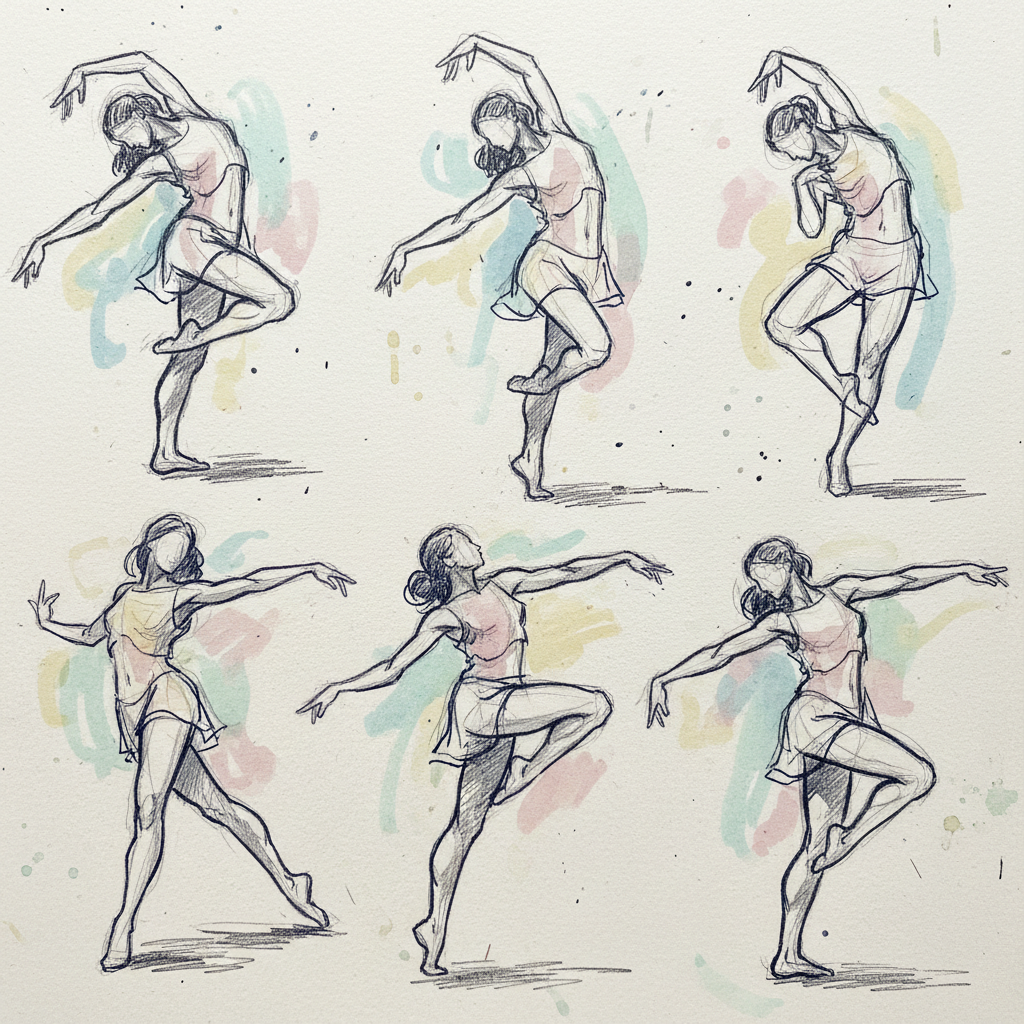
Static drawings often feel stiff and lifeless. When you focus too much on perfect proportions early on, you lose the energy and rhythm of the subject. Capturing movement requires a shift in mindset from drawing objects to drawing actions.
The Essence of Gesture Drawing
Gesture drawing is the foundation of any dynamic sketch. It is not about capturing the clothes or the hair; it is about the 'line of action.' This is a single, sweeping curve that defines the pose. On Sketchboard AI, you can use the pencil or charcoal brush families to lay down these light, rhythmic marks.
Start by observing the spine and the weight distribution. Keep your hand loose and move from the shoulder rather than the wrist. The goal is to record the feeling of a movement in under thirty seconds. These quick marks act as a wireframe for the rest of your work.
Choosing the Right Brushes for Energy
Not all digital brushes are created equal when it comes to speed. To convey a sense of motion, you need tools that respond to your physical input. Sketchboard AI offers 25 brush families that react to pressure and velocity.
Pressure Sensitivity for Weight
When a character is pushing against something or landing a jump, the lines should be thicker and darker. Use the ink or marker brushes to vary line weight. Pressing harder at the base of a limb suggests gravity and force. A light, tapering stroke at the end of a limb suggests a quick flick or a release of energy.
Velocity for Speed
Velocity response is crucial for 'speed lines.' If you move your stylus quickly across the board, the brush should thin out or become more transparent. This mimics the way a real pen behaves when it loses contact with paper. Use the airbrush or gouache tools for softer, trailing edges that imply a motion blur.
Nudging Motion with the Smudge Tool
Sometimes a static line is too sharp to represent fast movement. This is where the smudge tool becomes essential. Unlike a standard blur, the smudge tool in Sketchboard AI nudges your existing strokes and picks up pigment as you drag.
To create a sense of direction, smudge the 'trailing' edge of a limb. If a character is running, lightly smudge the back of their heel and the air behind their shoulders. This creates a ghosting effect that tells the viewer's eye where the subject just was. It adds a temporal dimension to a two-dimensional sketch.
Adjustments for Atmospheric Flow
Once your sketch has its basic movement, you can use non-destructive adjustments to enhance the drama. These aren't just for final touches; they can help define the environment the movement happens in.
- Motion Blur: Apply this specifically to background elements to make the foreground subject pop.
- Liquify: If a pose feels slightly off, use the liquify tool to warp and stretch the limbs into a more extreme, dynamic position without redrawing.
- Glitch and Halftone: These can add a sense of vibration or electronic energy to action scenes.
Essential Checklist for Dynamic Poses
Use this list to check if your sketch feels alive before you commit to final ink.
- Is there a clear line of action from head to toe?
- Are the shoulders and hips tilted in opposing directions (contrapposto)?
- Did you use varying line weights to show where the weight is held?
- Is there 'negative space' that helps define the silhouette?
- Have you smudged the trailing edges to imply speed?
Common Mistakes
- Over-detailing too early: Focusing on fingers or facial features before the pose is established leads to 'stiff' characters.
- Symmetry: Human movement is rarely symmetrical. Avoid parallel arms and legs; instead, look for angles that create a sense of imbalance.
- Uniform line weight: Using a single thickness for every line makes a drawing look like a flat diagram rather than a living sketch.
- Ignoring the center of gravity: If the character’s weight isn't over their feet or supported by momentum, they will look like they are falling over unintentionally.
FAQ
How do I stop my sketches from looking like statues?
Focus on the rhythm instead of the anatomy. Draw the flow of the energy through the body first. Use long, sweeping strokes instead of short, choppy ones.
Can I fix a stiff drawing without restarting?
Yes. On a digital sketch board like Sketchboard AI, you can use the liquify tool to push and pull the sketch into a more fluid shape, or use the partial eraser to thin out heavy lines that are weighing the image down.
What is the best brush for fast sketching?
Charcoal and pencil brushes are excellent for the initial gesture because they allow for light, messy marks. As you refine, switch to the ink or marker brushes for more decisive, authoritative lines.
Try it on your next sketch
Capturing life is about embracing imperfection. Next time you open your sketch board, set a timer for sixty seconds and try to fill the board with as many poses as possible. Don't worry about the 'undo' button. Use the charcoal brush, lean into the pressure sensitivity, and let the smudge tool create the blur of real life. With Sketchboard AI, you have all the tools to turn a blank canvas into a moving story.
- gesture drawing
- digital sketching
- brush techniques
- character design
- figure drawing